By Joseph Bryson October 5, 2026
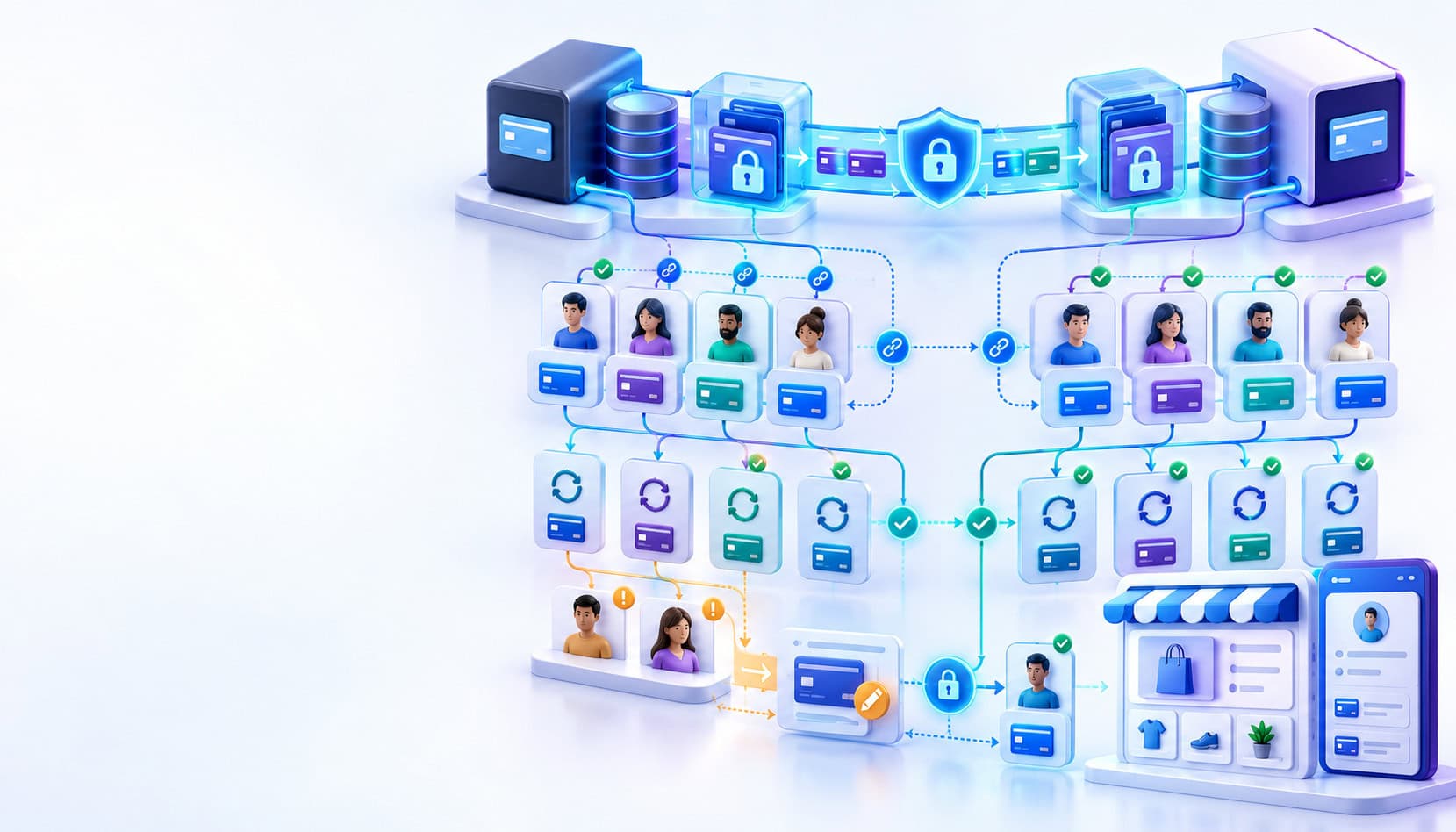
A safe WooCommerce payment gateway migration has three jobs: move or recreate the underlying payment credential, map the replacement token to the correct WooCommerce customer and subscription, and prove recurring renewals work before cutover. Customers should re-enter cards only when their existing credentials cannot be securely or technically migrated.
Installing and enabling a new gateway extension handles new checkout traffic. It does not automatically transfer the payment credentials behind existing WooCommerce saved payment methods, nor does it automatically repoint every active subscription to the new gateway.
That distinction is the core of a successful WooCommerce payment gateway migration. Treat credential portability, WooCommerce token mapping, and subscription migration as separate workstreams that must ultimately reconcile to the same customer and payment method.
The Safe Migration in One View
Before touching production, map all four layers of the payment relationship.
| Migration layer | What must survive | What can break | How to verify |
| Gateway vault | Reusable customer/payment credential | Old token cannot be used at new provider | Provider migration report plus supported transaction validation |
| WooCommerce customer token | Token reference, user ownership, gateway association | Saved method disappears or points to wrong gateway | Confirm token belongs to correct WordPress user |
| Subscription | Gateway and recurring payment method | Renewal fails or becomes manual | Trigger supported test renewal |
| Customer mapping | Old IDs to new IDs | Credential attaches to wrong/no customer | Reconcile migration mapping |
| Cutover timing | Ownership of each pending renewal | Missed or duplicate charge | Reconcile renewal orders and gateway records |
A successful checkout test is not enough. Subscription renewal testing is a separate requirement.
For broader launch controls, the payment gateway integration checklist is a useful companion for testing webhooks, refunds, errors, and production readiness.
Where Saved Cards Actually Live
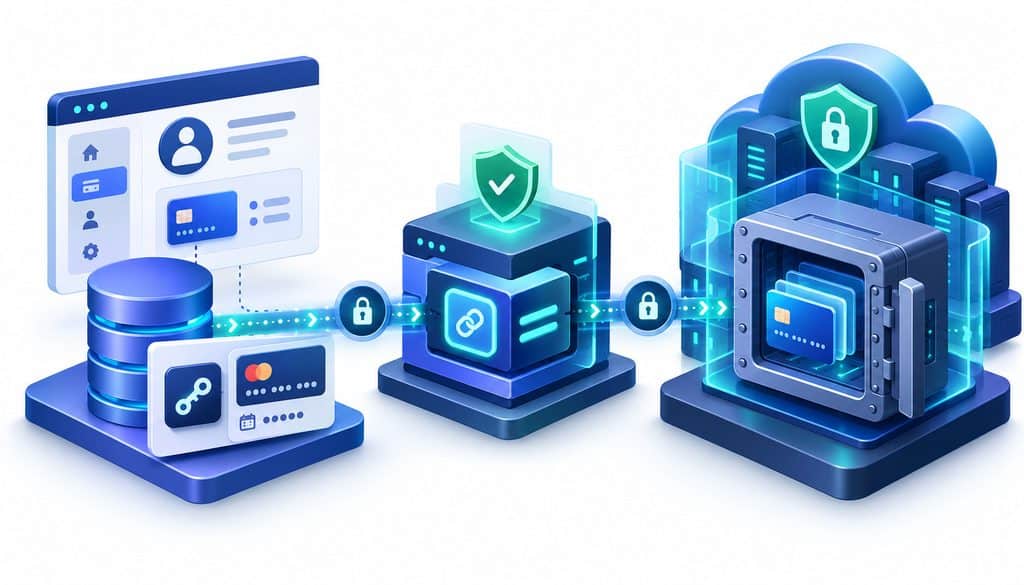
WooCommerce has a Payment Token API that lets gateway extensions associate reusable payment tokens with customers. Core WooCommerce records include a token value, gateway ID, user ID, token type, and default-payment status; card-token metadata can include the brand, last four digits, and expiration information.
See the official WooCommerce Payment Token API documentation.
That does not mean WooCommerce’s token value is the customer’s full card number. In a conventional tokenized integration, the token is an application-level reference that the gateway extension sends back to its payment provider. The actual implementation varies by extension and provider.
A useful mental model is:
Card credential or provider/network credential → secure payment infrastructure
WooCommerce token record → gateway-specific reference plus customer/display metadata
For example, customer 847 might have WooCommerce token 132. Token 132 could contain a provider-specific payment-method identifier, be associated with gateway gateway_a, and display a card ending in 1842. Copying that WooCommerce record to gateway_b does not magically create a usable credential inside Gateway B’s vault.
WooCommerce’s own developer documentation explicitly associates tokens with a gateway ID and user ID, which is why saved card token portability cannot be inferred from the mere existence of the local database record.
Gateway Vault Tokens vs. WooCommerce Token Records
| Question | Gateway/vault credential | WooCommerce token record |
| Who controls it? | Provider or token-service infrastructure | WooCommerce plus gateway extension |
| Where does full PAN normally remain in a tokenized architecture? | Protected payment environment | Normally not required in the core token record |
| What is stored locally? | Provider-dependent | Token/reference, user, gateway, type and related metadata |
| Works at another gateway? | Only if supported/migrated | Not merely by changing gateway ID |
| What if old provider closes access? | Credential may become unusable | Local record can remain but point nowhere useful |
| PCI-sensitive migration needed? | Potentially, depending on credential transfer | Usually mapping can use non-PAN identifiers |
| Must customer re-enter card? | Only when no supported migration path exists | Depends on whether underlying credential can be remapped |
Token portability is gateway-specific, provider-specific, and sometimes account-specific.
Do not assume a provider will export its proprietary tokens. Likewise, do not assume a merchant can download raw PANs from a dashboard simply because a card appears under WooCommerce saved payment methods.
Can You Migrate Saved Cards to a New Gateway?
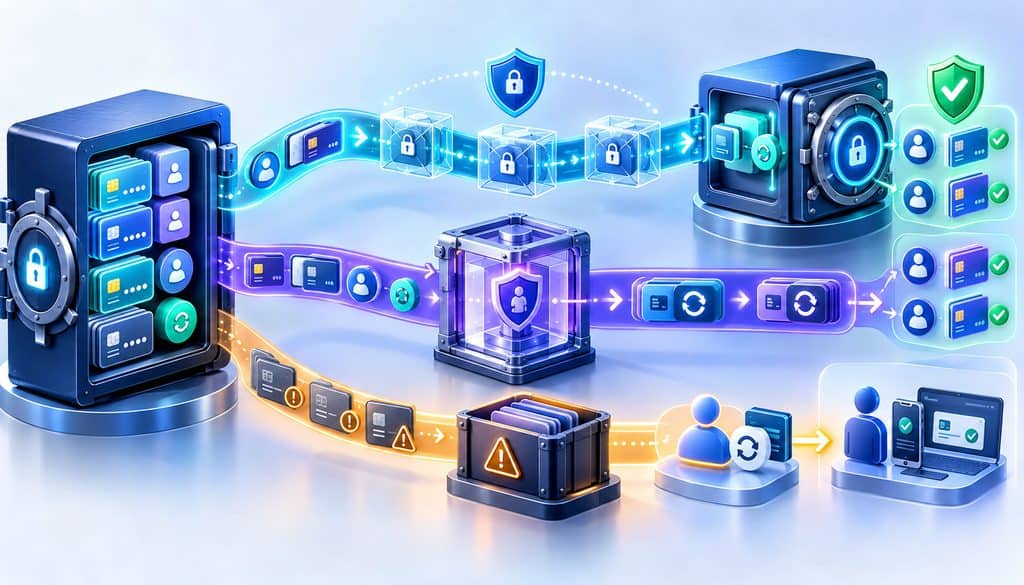
The practical answer to migrate saved cards to new gateway is: sometimes, but you need to identify which of three paths applies.
Path 1: Vault-to-vault token migration
The cleanest option is direct coordination between the outgoing and incoming providers. They may exchange payment credentials through an approved migration process and return a mapping such as:
old customer ID → new customer ID
old payment credential → new payment-method ID
Your application then uses that mapping to update WooCommerce.
Stripe’s current migration documentation, for example, describes processor coordination, importing payment data, receiving a mapping file, updating the application’s database, and remapping subscriptions. That is an example of one provider’s process, not a universal gateway workflow.
Path 2: PCI-controlled PAN export and re-tokenization
Some providers support migrations where sensitive payment information is transferred between authorized parties and re-tokenized at the destination.
PAN should not be placed in the migration team’s ordinary spreadsheets, emailed between developers, written to application logs, or temporarily imported into WordPress merely to make migration easier.
PCI SSC guidance makes the broader principle clear: systems that store, process, transmit, tokenize, or de-tokenize PAN remain relevant to PCI DSS scope. Tokenization may reduce PAN exposure, but it does not make sensitive transfer processes exempt from PCI responsibilities.
See PCI SSC’s official tokenization and PCI DSS guidance.
Path 3: No portability
Some credentials cannot be transferred at all. Examples can include proprietary provider tokens, provider-bound wallet credentials, unsupported network-token arrangements, or records for which the outgoing provider will not perform an export.
Those customers need a new payment method.
Do not treat all “tokens” as identical. PCI SSC itself distinguishes proprietary acquiring tokens from EMVCo payment tokens, reinforcing why network-token portability and gateway-token portability must be checked with the parties controlling those credentials.
What to Request From the Outgoing Gateway
Ask the provider to confirm, preferably in writing:
- Whether stored payment credentials are exportable or transferable.
- Whether direct vault-to-vault migration is supported.
- Whether the export contains PAN, proprietary tokens, network tokens, or another credential type.
- Required PCI/security documentation.
- File format, encryption, and delivery method.
- Customer and payment-method identifiers included in the export.
- Available last-four, expiration, card-brand, and billing metadata.
- Whether network-token credentials can be transferred.
- Whether recurring/stored-credential attributes require recreation.
- Whether the account and vault must remain active until migration is complete.
Also ask when old-vault access disappears after termination.
There is no responsible universal answer to “How many days does migration take?” Provider review, data volume, contractual authorization, security approvals, export format, and direct coordination can all change the schedule.
What the Incoming Gateway Needs to Import
The incoming provider may create new customer objects, payment-method objects, tokens, migration identifiers, and an exception report.
The dangerous assumption is that one old customer equals exactly one new customer with exactly one card. Customers may have several saved methods, duplicate historical profiles, multiple subscriptions, or records spread across accounts.
Your reconciliation chain should therefore be explicit:
WooCommerce user → old gateway customer → old payment method → new gateway customer → new payment method → WooCommerce token → subscription
Last four digits and expiration dates help humans reconcile records. Their presence does not prove that the underlying credential imported successfully.
Mapping Imported Payment Methods Back to WooCommerce
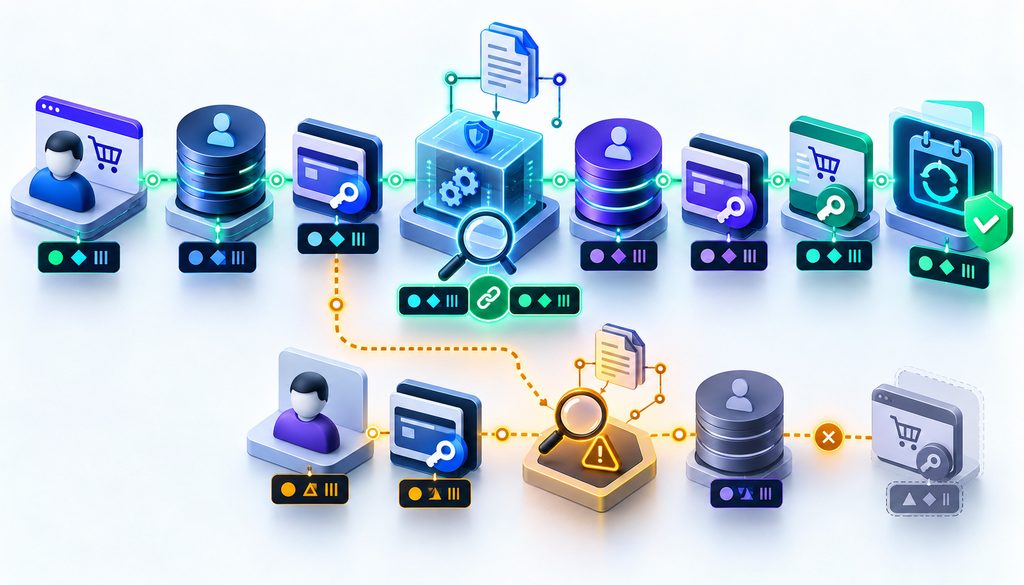
This is where a gateway vault migration becomes a WooCommerce implementation project.
A controlled workflow is:
- Export the relevant WooCommerce user and token identifiers.
- Export or obtain old gateway customer/payment-method identifiers.
- Complete the provider-approved credential migration.
- Receive the destination mapping and failed-import report.
- Map new customer profiles to the correct WooCommerce users.
- Create or update WooCommerce payment-token objects through supported extension or WooCommerce APIs.
- Preserve display metadata only when it is accurate.
- Confirm each token’s gateway ID matches the incoming extension.
- Verify the incoming gateway can actually use the credential.
- Associate validated credentials with eligible subscriptions.
WooCommerce’s API supports assigning tokens to specific users and gateways; it also warns developers to verify that a loaded token belongs to the current user before using it. That ownership check is especially important during bulk migration.
Avoid direct SQL as your default migration method. Gateway-supported tooling, extension APIs, WooCommerce payment-token APIs, or a reviewed migration script are safer because extensions may maintain additional metadata or provider-side relationships.
The payment API security guide provides additional context for protecting tokens, API credentials, logs, and recurring-payment operations during custom migration work.
How WooCommerce Subscriptions Remembers the Payment Method
The answer to WooCommerce Subscriptions change payment gateway is more complicated than changing the default checkout option.
WooCommerce documents that saved payment methods belong to the customer’s account, while a payment token used for a subscription can also be associated with that subscription for future renewals. Subscriptions can maintain the gateway and payment metadata needed to process automatic recurring payments.
See WooCommerce’s subscription payment-method documentation.
Gateway extensions do not all implement recurring billing identically. WooCommerce distinguishes gateways whose tokenized charges are scheduled by Subscriptions from arrangements where scheduling is managed externally by the payment gateway.
Feature support—including administrator or customer payment-method changes—also differs by extension.
That means an active subscription can remain associated with Gateway A even after Gateway B becomes the default for new checkout.
Why a Naive Gateway Switch Breaks Renewals
Suppose Gateway A is replaced on Tuesday. New Gateway B checkouts succeed immediately.
An existing subscription renews Thursday. Its subscription still expects Gateway A and an old payment credential. If the Gateway A plugin was deactivated or the credential no longer resolves, the renewal can fail or become a manual-payment problem.
Other failures include an imported token attached to the wrong customer, a token not copied to the subscription, unsupported off-session charging, mismatched gateway identifiers, or an externally scheduled gateway still trying to bill.
Changing the checkout gateway does not automatically rewrite every existing subscription’s recurring payment method.
WooCommerce states that deactivating a gateway plugin used by automatic subscriptions causes those subscriptions to switch to manual renewals. Simply disabling a payment method for new checkout is different: the active plugin can continue servicing eligible existing subscriptions.
Inventory Your Store Before Touching Production
Build a migration inventory covering active subscriptions, failed/pending renewals, upcoming renewal windows, customers with one or multiple saved methods, payment methods by gateway, wallets, bank methods, manual renewals, pending cancellations, and unusual guest-account relationships.
Migration inventory worksheet
| Dataset | Count | Source | Owner | Verified | Cutover action |
| Active subscriptions | WooCommerce | ||||
| Renewals next 24 hours | Subscriptions | ||||
| Renewals next 3/7 days | Subscriptions | ||||
| Saved-card customers | Payment tokens | ||||
| Multiple-method customers | Payment tokens | ||||
| Failed/pending renewals | Orders/Actions | ||||
| Non-card credentials | Gateway | ||||
| Migration exceptions | Provider report |
Build the Token Mapping File
A useful project mapping file can contain:
Woo user ID | email | subscription ID | old gateway | old customer ID | old token ID | masked metadata | new customer ID | new payment-method ID | new Woo token ID | migration status | validation status | exception
Do not put full card numbers into the ordinary project spreadsheet. Last four digits can be useful for controlled reconciliation where appropriate.
Keep the mapping file versioned. A token migration with no auditable mapping between source, destination, and WooCommerce is difficult to troubleshoot later.
Rehearse the Migration on Staging
Clone the WooCommerce database and application configuration, but understand what WooCommerce does to protect cloned subscription sites.
WooCommerce Subscriptions normally detects staging by site URL and prevents automatic payments and subscription emails. That is specifically intended to prevent a production clone from generating duplicate customer charges.
A safe rehearsal should:
- Clone the site and suppress real customer communications.
- Prevent production webhooks or callbacks from creating live side effects.
- Install and configure the incoming gateway extension.
- Import a representative test token set.
- Map tokens to known test customers.
- Update representative test subscriptions.
- Exercise the gateway’s supported renewal-testing flow.
- Test new-card checkout and saved-method checkout.
- Test successful and failed renewals.
- Test payment-method replacement and account display.
- Test refunds where the integration supports them.
- Review WooCommerce, gateway, webhook, and scheduled-action logs.
WooCommerce’s official subscription renewal testing instructions describe test subscriptions and supported ways to trigger renewal processing.
Remember that sandbox credentials frequently occupy a different environment or namespace from production credentials. A staging checkout proves application behavior; it does not automatically prove a live migrated production credential will work.
Your Test Matrix Before Cutover
| Test | New purchase | Saved card | Renewal | Expected result |
| New-card checkout | Yes | No | No | Token and payment succeed |
| Returning customer | Yes | Yes | No | Migrated credential works |
| Automatic renewal | No | Yes | Yes | Renewal is paid automatically |
| Failed credential | No | Yes | Yes | Correct failure workflow begins |
| Update payment method | No | New | Future | Subscription adopts replacement |
| Historical refund | Existing order | N/A | N/A | Correct gateway processes it |
The exact tests available depend on the incoming extension and whether Subscriptions or the provider controls the recurring schedule.
For broader edge cases, use the payment API testing checklist alongside the WooCommerce-specific renewal tests.
Cutover Sequencing: The Safest Order
A strong production sequence is:
- Freeze unnecessary payment configuration changes.
- Identify subscriptions due during the cutover window.
- Take the final customer/token delta export.
- Complete the final vault import.
- Receive and validate destination mappings.
- Create/update WooCommerce token records.
- Reassign eligible subscription payment methods with supported tooling.
- Validate a controlled production sample.
- Enable the new gateway for new checkout.
- Keep the old gateway path available for unresolved renewals, refunds, or migration exceptions.
- Monitor renewal orders, API responses, webhooks, and Action Scheduler.
- Retire the old path only after dependencies are cleared.
A delta migration matters because customers can add, remove, or replace cards after the first export. Without a final delta, the migration file can already be stale on cutover day.
Avoid Double Charging During the Switch
Define exactly one system as responsible for each subscription at each point in the cutover.
Do not allow an external gateway schedule and WooCommerce’s scheduler to independently charge the same billing period. Before manually re-running a timed-out renewal, confirm whether the provider already captured it.
A common failure looks like this: WooCommerce sends the renewal request, the provider approves it, but the response or webhook times out. An administrator assumes payment failed and manually retries. The second request becomes another valid charge.
Use documented idempotency behavior where the provider supports it, but do not assume every gateway implements idempotency in the same way.
What to Do With Customers Whose Cards Cannot Be Migrated
Segment exceptions instead of asking every subscriber to update a card.
Useful statuses include successfully migrated, migration failed, unsupported credential, expired method, missing mapping, identity mismatch, and subscription requiring manual update.
For the affected subset:
- Identify the subscription and next renewal.
- Notify the customer before renewal where practical.
- Direct them to a secure authenticated account or provider-hosted update flow.
- Have them add the replacement method there.
- Confirm the subscription adopts the new method.
- Use the supported failed-payment/retry workflow if no update occurs.
Never ask customers to email card numbers.
Customer Communication Template
Subject: Please update the payment method for your subscription
We’re upgrading the payment system used for your subscription. Your existing saved payment method was one of a small number that could not be securely transferred to the new system.
If you’ve already updated your payment method, no further action is needed. Otherwise, please sign in to your account and update your payment method before your next renewal.
Enter card details only through the secure payment-method or checkout page in your account. If you need help accessing your account, contact support.
What About Guest Customers?
Do not assume matching email addresses establish enough identity to attach a migrated payment credential.
If a credential cannot be confidently connected to a persistent WooCommerce/WordPress customer, place it in an exception queue. Incorrectly attaching a reusable payment method to another account is worse than requiring card re-entry.
Use stable provider identifiers and your existing customer relationship data rather than email alone.
Refunds and Old Orders After the Gateway Switch
Historical orders remain another dependency on the old integration.
Determine whether refunds require the original gateway plugin, old API credentials, and the original provider transaction ID. Do not assume Gateway B can refund a transaction Gateway A originally processed.
WooCommerce notes that disabling a payment method while keeping its plugin active can still permit automatic refunds for eligible existing orders; provider-specific APIs and account status ultimately determine what is possible.
Preserve transaction IDs and reporting access, and keep the old merchant/gateway relationship available as long as refunds, disputes, contractual obligations, or migration support require it.
Do Not Shut Down the Old Gateway Too Early
Before full retirement, confirm:
- Credential migration is complete.
- Mapping exceptions are reconciled.
- Upcoming renewals have been validated.
- Historical refund handling is documented.
- Disputes and chargebacks remain accessible.
- Old transaction IDs and reports are retained.
- Webhook and scheduled-action queues are understood.
- Required customer-update notices are underway.
- Contractual termination timing has been confirmed.
Migration Failure Modes and How to Diagnose Them
| Symptom | Likely cause | Check first |
| Saved card appears but charge fails | Local token points to unusable credential | New provider payment-method ID |
| Renewal reports no payment method | Subscription wasn’t reassigned | Subscription billing method |
| Duplicate cards appear | Old/new local records both active | Gateway ID and token ownership |
| Correct card, wrong customer | Mapping error | Woo user ↔ provider customer |
| Checkout works, renewal fails | Recurring/off-session path unsupported or misconfigured | Gateway subscription capability |
| Random import failures | Unsupported or partially imported credentials | Provider migration report |
| Duplicate renewal | Scheduler, retry, webhook, or manual overlap | Renewal order and gateway logs |
A Practical WooCommerce Payment Gateway Migration Checklist
For a production WooCommerce payment gateway migration, use this sequence.
Before migration
- Inventory subscriptions, tokens, gateways, renewal dates, refunds, and exception cases.
- Confirm new extension capabilities for tokenization and automatic renewals.
- Start the outgoing-provider export conversation before termination.
Vault transfer
- Confirm credential types.
- Use the provider-approved secure migration route.
- Obtain source-to-destination mapping and failure reports.
WooCommerce mapping
- Match new provider customers to WooCommerce users.
- Create/update token objects through supported APIs.
- Verify gateway IDs, ownership, and display metadata.
Subscription validation
- Assign only validated credentials.
- Test automatic renewal, failed renewal, and payment-method replacement.
- Confirm whether WooCommerce or the gateway owns recurring scheduling.
Cutover
- Reconcile near-term renewals.
- Run final delta migration.
- Enable new checkout only after mapping validation.
- Avoid overlapping schedulers and manual retries.
First 72 hours
- Watch renewal results, token errors, API errors, webhooks, scheduled actions, refunds, duplicate charges, and support tickets.
Old gateway retirement
- Resolve migration exceptions.
- Confirm historical refund/dispute access.
- Export required reports.
- Remove the old integration only after no unresolved payment dependency remains.
First 72 Hours After Cutover
Compare the number of renewals that should have occurred with the number of successfully paid renewal orders. A healthy provider dashboard alone is not enough.
Review failed and successful renewals, payment-token errors, webhook failures, customer update attempts, duplicate charges, refunds, gateway API errors, abandoned renewals, and WooCommerce Scheduled Actions.
WooCommerce uses Action Scheduler for many subscription lifecycle events, while some gateways manage recurring schedules externally, so monitoring needs to reflect the specific extension’s architecture.
Example Migration Scenario
Illustrative example, not an industry benchmark:
A store has 4,500 customers, 1,200 active subscriptions, 780 customers with saved cards, and 160 subscriptions renewing during the next seven days.
The outgoing provider reports that 720 credentials can be migrated and 60 cannot. The incoming provider creates replacement customer/payment-method identifiers and returns the migration mapping.
The developer rehearses the mapping against a clone, validates renewal behavior with the incoming extension, performs a final delta at cutover, and updates eligible production subscriptions. Only the 60 exception customers receive card-update requests.
During the first 72 hours, the team reconciles expected renewals to actual renewal orders and investigates every mismatch rather than judging success from new checkout transactions.
FAQ
Can WooCommerce move saved credit cards from one gateway to another?
Not by itself. WooCommerce can store and manage gateway payment-token references, but the underlying credential must first be transferable or recreated through a process supported by the outgoing and incoming payment providers.
Where does WooCommerce store saved card tokens?
WooCommerce core maintains payment-token records in dedicated payment-token storage. Current code associates records with a token value, gateway ID, user ID, token type, and default status, with additional token metadata stored separately. That describes WooCommerce core’s token architecture, not every custom gateway extension.
Does changing my WooCommerce payment gateway automatically update subscriptions?
No. Existing subscriptions can retain their previous payment gateway and recurring payment method. WooCommerce provides explicit mechanisms for changing subscription payment methods when the gateway extension supports them.
Can Stripe tokens be used by another WooCommerce gateway?
Do not assume so. A proprietary Stripe identifier generally cannot simply be pasted into an unrelated gateway and expected to work. Where migration is supported, use the approved migration path between Stripe and the destination provider.
Stripe’s migration documentation specifically supports coordinated payment-data import/export processes and mapping rather than treating existing identifiers as universally reusable credentials.
Do customers always have to re-enter their card details?
No. Customers whose credentials migrate successfully should not be forced to re-enter them merely because the gateway changed. Card re-entry is appropriate for credentials that cannot be migrated, fail import, cannot be confidently mapped, or require customer action for another documented reason.
Can I export card numbers from WooCommerce?
Do not treat the WooCommerce token database as a PAN export source. Its token records are designed around gateway payment tokens/references and metadata. If actual payment data must be migrated, work through the providers’ approved security and PCI process.
How do I test WooCommerce subscription renewals before migration?
Use a staging or controlled test environment, the incoming gateway’s test mode where available, representative test subscriptions, and WooCommerce-supported renewal testing. Validate the scheduled action, payment attempt, resulting renewal order, subscription status, and relevant logs.
Should I keep the old gateway plugin installed after switching?
Often temporarily, yes, if existing subscriptions, refunds, migrations, or historical transactions still depend on it. WooCommerce distinguishes disabling a payment method for new checkout from deactivating its plugin entirely.
What happens if a migrated token is attached to the wrong customer?
Treat that as a high-priority mapping exception. Do not attempt to “see whether it works.” Quarantine the mapping, verify the WooCommerce user and destination provider customer identifiers, and correct it through the extension’s supported mechanisms.
How far in advance should I start a gateway migration?
There is no universal number of days. Start before terminating the old provider and leave enough time for provider security review, migration coordination, staging, exception handling, final-delta processing, and a meaningful renewal-validation cycle where practical.
Final Takeaway
A WooCommerce payment gateway migration is three migrations that must agree: the credential or vault relationship, the WooCommerce payment-token mapping, and the subscription’s recurring payment method.
The project is not finished when a new checkout successfully charges a test card. It is finished when migrated customers can use their stored credentials, existing subscriptions renew correctly, exceptions are known, historical payment dependencies are covered, and the old gateway can be retired without leaving unresolved billing paths.