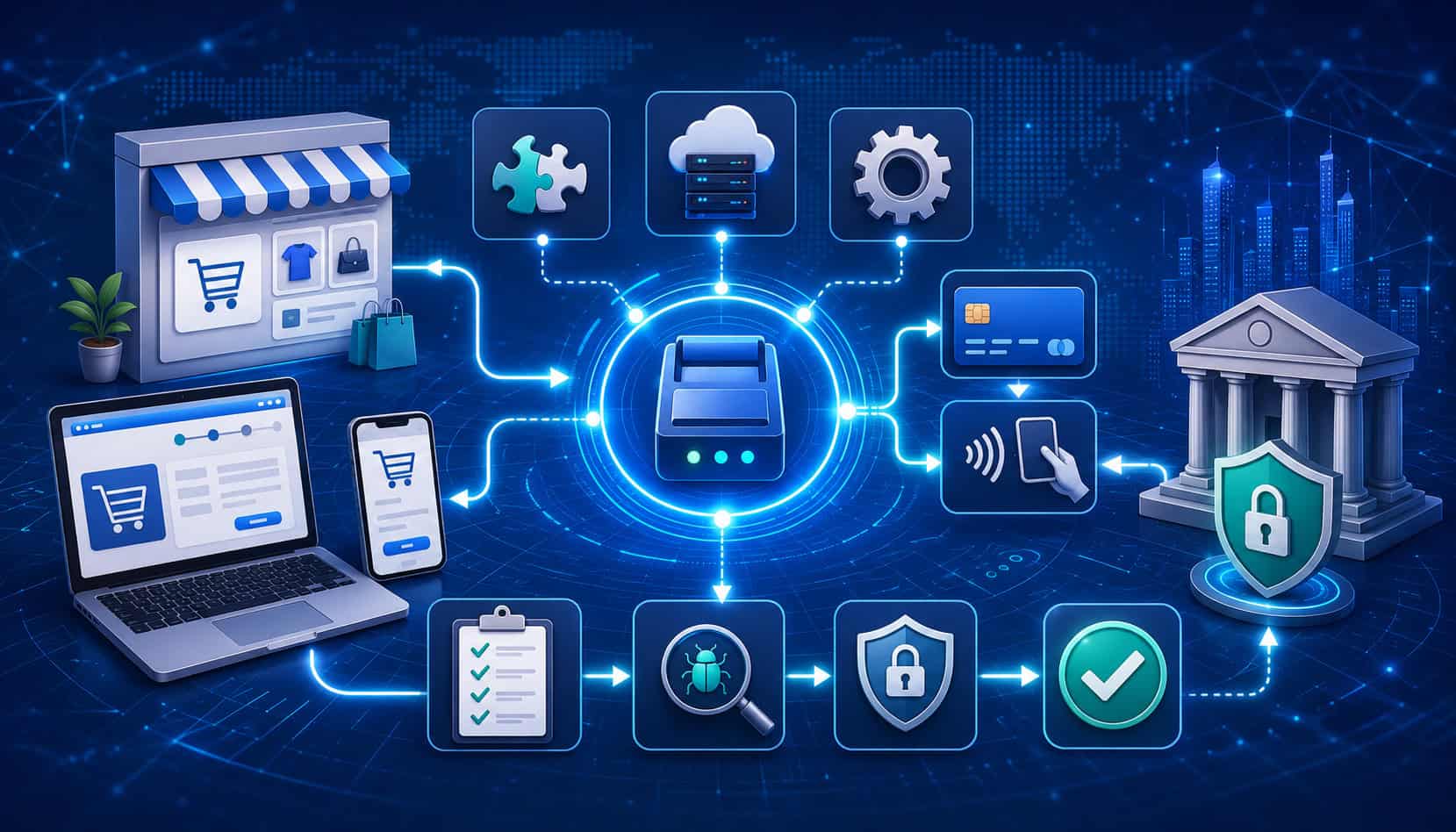
A payment gateway integration checklist helps businesses prepare, build, test, launch, and monitor online payment acceptance with fewer surprises. Whether you are adding checkout to an ecommerce store, connecting payments to a SaaS platform, accepting invoice payments, or building a custom payment flow, the integration affects more than the payment button.
A successful payment gateway integration touches security, customer experience, reporting, reconciliation, fraud prevention, refunds, chargebacks, developer workflows, and finance operations. When these areas are not planned early, teams often discover problems after real customers are already trying to pay.
This guide explains what to check before, during, and after online payment gateway integration. It is designed for business owners, ecommerce teams, developers, product managers, finance teams, startups, and service providers that need a practical way to evaluate payment gateway setup without getting lost in unnecessary complexity.
What Is Payment Gateway Integration?
Payment gateway integration is the process of connecting a website, mobile app, POS system, invoice platform, subscription tool, or business software to payment processing systems. The gateway acts as the secure connection between the customer-facing payment experience and the systems that authorize, capture, settle, refund, and report transactions.
When a customer submits card payments, ACH payments, digital wallet payments, or mobile payments, the gateway securely transmits payment data to the right parties. It helps request payment authorization, confirms whether the payment was approved or declined, supports payment capture, and returns transaction status updates to the business system.
A payment gateway API integration may also support tokenization, recurring billing, subscription payments, refunds, voids, payment webhooks, fraud checks, and reporting. In many setups, the gateway works with a payment processor, merchant account, ecommerce platform, accounting software, fraud tool, and customer notification system.
Payment gateway integration can be simple or highly customized. A hosted payment page may require less development work because customers complete payment on a provider-hosted checkout page. Embedded checkout and API-based payment integration usually offer more control but require stronger technical, security, and testing processes.
Why a Payment Gateway Integration Checklist Matters
A payment gateway integration checklist matters because payment failures can quickly become customer experience, accounting, security, and operational problems. A checkout page may look simple, but behind it are API calls, payment authorization rules, fraud filters, webhook setup, settlement reporting, refund workflows, and compliance responsibilities.
Without a payment processing integration checklist, teams may test only the “happy path,” meaning one successful payment. That is not enough. Real customers may use expired cards, mistype CVV codes, abandon checkout, retry payments, request refunds, trigger 3D Secure, fail AVS checks, or pay from mobile devices with slow connections.
A checklist helps teams verify that payment gateway testing covers approvals, declines, timeouts, duplicate attempts, partial captures, voids, refunds, chargebacks, recurring billing, failed subscription renewals, and settlement data.
It also helps prevent common launch risks, such as live API keys being placed in the wrong environment or payment webhooks not updating order status.
Security is another major reason to use a payment gateway checklist. API keys, access tokens, customer payment data, tokenized payment methods, and logs must be handled carefully.
Guidance from the official payment security standards resource can help teams understand card data protection responsibilities, while API teams can review an API security project for broader secure development practices.
Key Parties Involved in Payment Gateway Setup
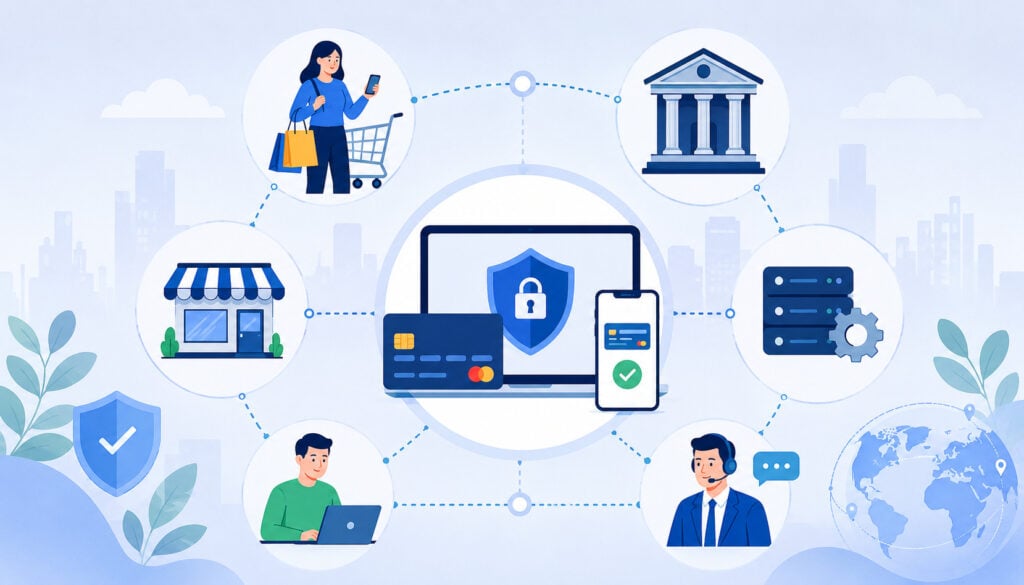
Payment gateway setup involves more parties than many teams expect. The customer sees the checkout form, invoice link, hosted payment page, or embedded payment screen. Behind that experience, several systems work together to approve, decline, record, and settle the payment.
The business defines what payment methods it wants to accept, how orders should be handled, how refunds are approved, and how transaction data should appear in reports.
Developers or implementation teams connect the gateway to the website, app, ecommerce platform, or back-office system. Product managers often define the checkout flow, error messages, account logic, and subscription behavior.
The payment gateway securely transmits transaction data and returns payment status. The payment processor helps move the transaction through processing networks. A merchant account may be needed depending on the business model and provider setup.
Acquiring and issuing banks help move funds and approve or decline payment requests. Card networks, digital wallet providers, ACH systems, fraud tools, tax systems, accounting platforms, and customer support software may also be involved.
For platform-specific setups, teams should also review plugin and connector behavior. A useful starting point is learning how different payment API approaches affect checkout, reporting, refunds, and long-term maintainability.
Business, Customer, and Checkout Experience
The business side of payment gateway integration starts with decisions about what customers can buy, how they can pay, when they are charged, and what happens after payment.
Ecommerce teams may need cart checkout, tax calculation, shipping rules, order confirmation, refunds, and abandoned checkout recovery. SaaS teams may need recurring billing, free trials, upgrades, downgrades, failed renewal handling, and stored payment methods.
Customers interact with the checkout experience through payment pages, invoice links, mobile apps, embedded forms, or hosted payment pages. Their trust is shaped by speed, clarity, accepted payment method display, field labels, security cues, error messages, receipts, and confirmation pages.
A checkout integration should reduce confusion. Customers should know what they are paying for, how much they are paying, which payment methods are accepted, and what to do if the payment fails. This is especially important for mobile checkout, where small fields, slow pages, and unclear decline messages can create unnecessary support issues.
Gateway, Processor, Banks, and Networks
The gateway, processor, banks, and networks handle the movement and validation of payment information. When a customer submits a payment, the gateway sends the request through the processor and relevant networks for authorization. The issuing bank reviews the request and approves or declines it based on account status, available funds, fraud signals, and card rules.
After authorization, the business may capture the payment immediately or later. Automatic capture is common for simple ecommerce orders.
Delayed capture may be used when inventory, shipping, service delivery, or order review must be completed first. Settlement happens after captured transactions are batched and funds are prepared for deposit according to the processor’s schedule.
These systems also support refunds, voids, chargebacks, payment status updates, and settlement reporting. For that reason, the integration must preserve transaction IDs, order IDs, customer references, authorization codes, capture records, refund records, and webhook events.
Pre-Integration Planning Checklist
The pre-integration planning stage is where teams define what the payment system must do before anyone starts coding. This is the best time to identify business requirements, technical constraints, compliance needs, reporting expectations, and customer experience goals.
Start by listing all payment use cases. Include one-time purchases, deposits, subscriptions, invoices, renewals, upgrades, refunds, partial refunds, voids, manual payments, saved cards, ACH payments, card payments, digital wallet payments, mobile payments, and recurring billing if relevant.
Next, map sales channels. A business may accept payments through an ecommerce website, mobile app, invoice page, phone order workflow, POS system, customer portal, or subscription platform. Each channel may require different checkout logic, payment methods, fraud controls, and reporting fields.
Planning should also include operational rules. Decide who can issue refunds, who reviews suspicious orders, how chargebacks are handled, how settlement deposits are reconciled, and how customer support will look up transaction details.
A practical pre-integration checklist includes:
- Payment methods and channels confirmed
- Checkout type selected
- Refund policy documented
- Fraud rules planned
- Reporting fields defined
- Accounting workflow mapped
- Customer support process created
- Security responsibilities reviewed
- Developer documentation reviewed
- Testing plan approved
Business Requirements to Confirm First

Before technical setup begins, confirm the business requirements that will shape the payment gateway integration. These decisions affect which gateway features are needed, how checkout is designed, how fraud controls are configured, and how finance teams reconcile payments.
Transaction volume and average ticket size matter because they influence fraud risk, processing review, pricing structure, and operational workflows.
A business selling low-cost digital products may need fast checkout and automated fulfillment. A business selling high-ticket items may need manual review, delayed capture, stronger fraud rules, and clear chargeback evidence.
Customer payment preferences should also guide setup. Some customers prefer card payments, while others may want ACH payments, digital wallet payments, invoice links, or mobile payment options.
Subscription businesses need recurring billing and secure stored payment methods. Service businesses may need deposits, partial payments, or final balance collection.
Settlement expectations should be reviewed early. Finance teams need to understand funding timing, transaction fees, reserves if applicable, batch reports, settlement reports, refund timing, and chargeback deductions. Customer-facing teams also need clear policies for refunds, failed payments, duplicate charges, and declined transactions.
For ecommerce payment gateway integration, also confirm shipping rules, tax logic, cart behavior, discounts, order holds, inventory sync, confirmation emails, and fulfillment triggers.
Technical Requirements Checklist
The technical requirements checklist focuses on how the payment gateway API, plugin, SDK, or hosted checkout will actually connect to business systems. Developers should review the gateway’s developer documentation before selecting an integration path.
Key items include API endpoints, SDK availability, supported programming languages, hosted payment page options, embedded checkout tools, authentication methods, API keys, access tokens, webhook setup, tokenization support, idempotency support, error codes, rate limits, versioning, testing tools, and support channels.
Payment API integration should also account for environment separation. Test credentials should be used only in sandbox testing. Live API keys should be stored securely and deployed only to production systems. Secret keys should never be exposed in browser code, public repositories, analytics tools, customer-facing pages, or application logs.
Error handling deserves special attention. The integration should know how to respond to declines, invalid card details, AVS mismatches, incorrect CVV, duplicate attempts, timeouts, expired sessions, webhook retries, and temporary gateway errors.
A strong technical checklist includes:
- API documentation reviewed
- Sandbox account created
- Test and live environments separated
- API keys stored securely
- Webhook events selected
- Signature verification planned
- Tokenization flow confirmed
- Error handling mapped
- Logging strategy approved
- Rollback plan prepared
Payment Gateway Integration Options
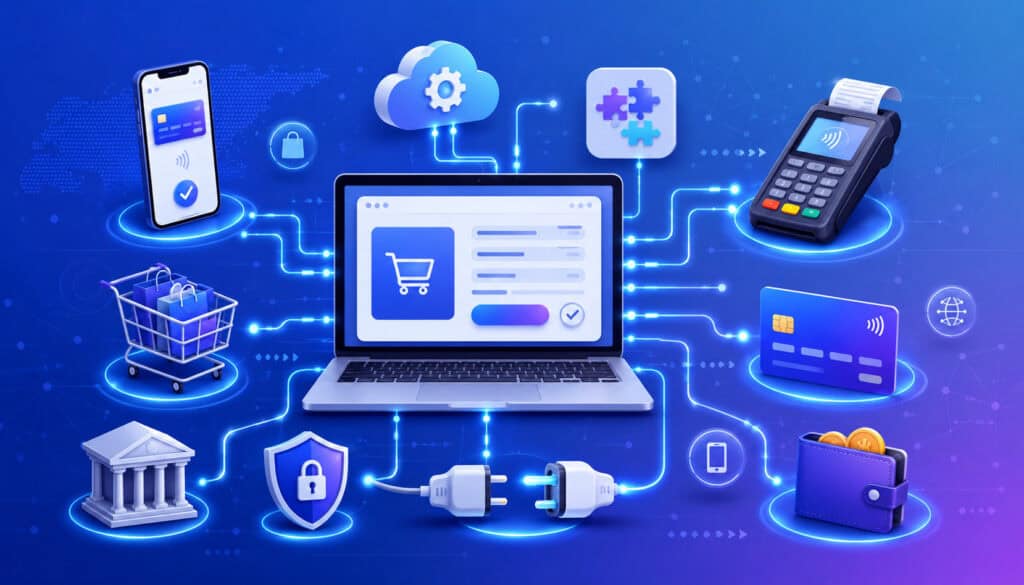
There are several payment gateway integration options, and the right choice depends on resources, security needs, customization goals, and customer experience expectations. The main options include hosted payment pages, redirect checkout, embedded checkout, direct API integration, plugins, SDKs, mobile payment integrations, and platform connectors.
Hosted payment pages send customers to a secure page managed by the gateway or provider. This can reduce the amount of sensitive payment data handled by the business system. It is often a good fit for teams that want faster setup and less technical maintenance.
Embedded checkout keeps more of the payment experience inside the website or app. Hosted fields may allow card data to be entered in secure fields while keeping the overall checkout page branded. This balances customer experience with reduced card data exposure.
API-based payment gateway integration provides the most control but usually requires more development, testing, monitoring, and security review. This approach may be useful for SaaS platforms, marketplaces, custom ecommerce systems, mobile apps, and businesses with specialized payment flows.
Plugins and platform connectors can simplify payment gateway setup for ecommerce platforms, forms, subscriptions, and invoicing tools. However, plugins still require testing, updates, webhook configuration, and careful review of order status mapping. For more detail on tradeoffs, review this comparison of API and hosted payment page integrations.
Payment Gateway Integration Options Table
| Integration Option | How It Works | Best For | Key Consideration |
| Hosted payment page | Customer completes payment on a provider-hosted page | Faster setup, lower development effort | Less checkout design control |
| Redirect checkout | Customer leaves the site briefly and returns after payment | Simple ecommerce or invoice payments | Redirect experience must feel trustworthy |
| Embedded checkout | Payment fields appear inside the checkout flow | Branded checkout with reduced friction | Must test field behavior and security scope |
| Hosted fields | Sensitive fields are securely hosted while checkout remains on-site | Businesses wanting design control and reduced exposure | Requires careful implementation |
| API-based integration | Custom application sends payment requests through the payment gateway API | SaaS, marketplaces, custom platforms | Requires strong development and security controls |
| Plugin or connector | Platform extension connects checkout to the gateway | Ecommerce platforms and form tools | Must monitor updates, compatibility, and logs |
| Mobile SDK | Mobile app connects payment flow through SDK tools | Native app checkout | Requires device testing and app release planning |
This table should be used as a decision guide, not a replacement for technical review. The best option depends on checkout goals, PCI compliance scope, internal development capacity, payment methods, reporting needs, and long-term maintenance plans.
Merchant Account and Payment Processor Readiness
Before connecting the gateway, confirm that the merchant account or payment processor setup is ready. A gateway can transmit payment data, but processing readiness determines whether transactions can actually be approved, captured, settled, refunded, and reported correctly.
Start with account approval and business verification. The processor may need business details, ownership information, banking information, product descriptions, expected transaction volume, average ticket size, refund policy, and website review. If the account is not fully approved, live payments may fail or settlement may be delayed.
Confirm accepted payment methods. Card payments, ACH payments, digital wallet payments, mobile payments, recurring billing, and subscription payments may require specific approvals or settings. Some payment methods also have different settlement timing, return risk, dispute rules, or customer authorization requirements.
Review pricing structure, transaction fees, monthly fees, chargeback fees, refund handling, reserve terms, descriptors, and settlement timing. The billing descriptor is especially important because customers may dispute transactions they do not recognize.
Processor compatibility also matters. Not every gateway connects to every processor, merchant account, ecommerce platform, or plugin. Confirm compatibility before development begins.
API Keys, Authentication, and Access Controls
API keys are credentials that allow your website, app, or server to communicate with the payment gateway API. Most gateways provide separate test and live credentials. Some use public keys, secret keys, access tokens, OAuth-style authentication, or signed requests.
Public keys may be safe for certain browser-side actions depending on the provider’s documentation. Secret keys must be protected. They should be stored in secure server-side configuration, environment variables, or a secrets management system.
They should never be placed in frontend JavaScript, public code repositories, shared spreadsheets, screenshots, customer support tickets, analytics events, or logs.
Access controls should follow least privilege. Developers, finance users, support users, and administrators should have only the permissions they need. Refund access, dispute access, payout reporting, API credential management, and user administration should not be available to everyone.
Key rotation should also be planned. When credentials are rotated, the team should know how to update production safely, test payment functionality, and revoke old keys. Separate credentials should be used for sandbox testing and live processing.
Sandbox Testing Checklist
Sandbox testing is the practice of testing payment gateway setup in a non-live environment before accepting real payments. It helps teams validate checkout behavior, error handling, webhook setup, reporting, reconciliation, refunds, and subscription logic without moving actual funds.
A strong payment gateway testing plan includes successful transactions, declined transactions, expired cards, incorrect CVV, AVS mismatches, duplicate attempts, gateway timeouts, abandoned checkout sessions, partial captures, full captures, voids, full refunds, partial refunds, recurring billing, failed renewals, and payment method updates.
Teams should also test browser and device behavior. A checkout that works on one desktop browser may fail on a mobile browser, embedded webview, older device, or slow connection. Mobile checkout testing should include digital wallet payments, autofill, form formatting, input validation, and confirmation screens.
Webhook testing is essential. The business system should update order status, subscription status, refund records, dispute records, and customer notifications based on verified payment webhooks. Test both immediate webhook delivery and delayed or retried events.
Reconciliation testing should not be skipped. Match test orders, transaction IDs, payment IDs, refund IDs, batch reports, fee records, and settlement records so finance teams know what to expect after launch.
Payment Security and PCI Compliance Checklist
Payment security should be reviewed throughout the integration. PCI compliance responsibilities depend on how payment data is collected, transmitted, processed, or stored. A hosted payment page or hosted fields approach may reduce exposure, while a custom API integration may require more internal controls.
Use HTTPS across checkout pages, account pages, webhook endpoints, and admin portals. Payment forms should be secure, validated, and protected from unnecessary data exposure. Tokenization should be used where supported so stored payment methods do not require storing raw card data.
Encryption protects sensitive data in transit and, where applicable, at rest. Logs should never contain full card numbers, CVV values, secret API keys, access tokens, or sensitive authentication data. Access to payment dashboards, refund tools, reports, and customer payment records should be controlled by role.
PCI compliance is not just a technical checkbox. It may involve policies, network security, vulnerability management, access controls, monitoring, service provider review, and validation steps. Teams should use qualified guidance when needed, especially if the business handles card data directly.
A practical security checklist includes:
- HTTPS enforced
- Secret keys protected
- Tokenization enabled where useful
- Sensitive data excluded from logs
- Webhook signatures verified
- Admin access limited
- Vulnerability review completed
- Compliance responsibilities documented
- Data retention rules reviewed
Tokenization and Stored Payment Methods
Tokenization replaces sensitive payment details with a token that can be used for future payment actions. Instead of storing raw card data, the business stores a reference generated by the gateway or payment system. This is important for recurring billing, subscription payments, customer accounts, repeat purchases, account upgrades, and saved payment methods.
For example, when a customer chooses to save a card, the gateway may create a customer token and a payment method token. The business can use that token later to charge the customer according to authorized terms. The actual card data remains protected by the payment system.
Tokenization still requires careful setup. Customers should understand when a payment method is being saved and how it will be used. Subscription terms, renewal timing, cancellation rules, and authorization language should be clear.
Test token creation, token reuse, token deletion, expired cards, updated cards, failed renewals, customer account changes, and payment method replacement. Also test what happens when a stored payment method is removed before a scheduled charge.
Fraud Prevention Checklist
Fraud prevention should be configured before launch, not after chargebacks start appearing. The right controls depend on transaction type, ticket size, fulfillment speed, customer location, product category, and risk tolerance.
Common fraud tools include AVS, CVV checks, 3D Secure, velocity checks, device signals, IP reputation, risk scoring, email analysis, order history, address mismatch rules, and manual review queues.
3D Secure can add an authentication step for certain card payments and may be useful in higher-risk situations. A deeper technical resource on 3D Secure implementation can help teams understand how authentication flows fit into checkout.
Fraud rules should be balanced. Rules that are too loose may allow risky orders. Rules that are too strict may block legitimate customers and increase support tickets. Teams should review decline rates, manual review rates, chargeback patterns, and customer complaints after launch.
Fraud workflows should also include communication. Suspicious orders may need identity verification, shipping holds, cancellation rules, or customer outreach. Staff should know who owns review decisions and how to document them.
Checkout Experience Checklist
The checkout experience is where the customer decides whether payment feels trustworthy, fast, and worth completing. A payment integration may be technically correct but still perform poorly if the checkout page is confusing, slow, or difficult to use.
Review page speed, mobile responsiveness, layout clarity, field labels, accepted payment method display, billing address requirements, shipping address requirements, order summary, tax and shipping visibility, error messages, confirmation pages, receipts, and customer support contact visibility.
Secure checkout signals should be helpful but not excessive. Customers should see that the page is secure, payment methods are accepted, and their order details are accurate. Avoid cluttering checkout with unnecessary fields, distracting links, or unclear instructions.
Abandoned checkout handling should also be reviewed. If a customer leaves before payment, the system should not mark the order as paid. If the customer returns and completes payment, the order should update correctly.
Mobile Checkout Readiness
Mobile checkout needs special attention because customers may be using smaller screens, slower connections, autofill, digital wallets, or mobile browsers with different behavior. A form that feels easy on desktop can feel difficult on a phone if fields are too small, labels disappear, or error messages are hard to see.
Test responsive design, wallet buttons, card input formatting, numeric keyboards, address autofill, page speed, touch-friendly buttons, and confirmation screens. Make sure customers can review order totals before payment and can easily correct errors.
Mobile wallet payments can reduce typing and speed up checkout when configured correctly. However, they should be tested across supported devices, browsers, and checkout flows.
Error Messages and Decline Handling
Payment errors should help customers recover without revealing sensitive risk logic. A declined card, incorrect card number, expired card, insufficient funds response, incorrect CVV, AVS mismatch, duplicate attempt, or gateway timeout should produce a useful message.
Avoid vague messages such as “payment failed” when a more helpful message can be shown. At the same time, do not expose internal fraud rules or technical details. Give customers clear next steps, such as checking card details, trying another payment method, or contacting their card issuer.
Duplicate payment attempts need special handling. If a customer clicks twice or refreshes after a timeout, the system should prevent duplicate charges whenever possible.
Payment Method Checklist
Payment methods should be selected based on customer needs, transaction cost, risk, settlement timing, and operational complexity. More payment options can improve convenience, but each method adds setup, testing, reporting, and support considerations.
Card payments are common for ecommerce and SaaS checkout. Debit cards may have different customer expectations than credit cards. ACH payments may be useful for invoices, larger transactions, recurring billing, and lower-cost bank payments, but they may involve different return timing and verification requirements.
Digital wallet payments and mobile payments can make checkout faster, especially on mobile devices. They may also reduce manual entry errors. However, wallet buttons must be configured correctly and tested across devices.
Recurring billing and subscription payments require special review. Confirm trial handling, renewal timing, upgrade and downgrade logic, failed payment retries, cancellation rules, invoice generation, customer notifications, and stored payment method updates.
Partial payments, deposits, pay-by-bank options, and invoice payments may be useful for some business models. Teams evaluating bank-based payment flows can review this overview of pay-by-bank payment concepts.
Webhook Setup Checklist
Payment webhooks are automated messages sent from the gateway to your system when payment events happen. They are important because not every payment status is final at the moment a customer sees checkout confirmation.
Webhook events may include successful payments, failed payments, refunds, voids, chargebacks, dispute updates, subscription renewals, failed renewals, payment method updates, settlement updates, risk decisions, and account changes. Without reliable webhook setup, your system may show the wrong order status or miss important post-payment events.
Webhook signature verification is critical. Your server should confirm that the event came from the expected source and was not modified. Webhook endpoints should use HTTPS, accept only expected event types, avoid exposing sensitive data, and return appropriate responses.
Retries and idempotency should be planned. Gateways often retry webhooks if your endpoint is unavailable. Your system should not create duplicate refunds, duplicate emails, duplicate subscription renewals, or duplicate order updates when the same webhook is received more than once.
Authorization, Capture, and Settlement Checklist
Payment authorization confirms whether a payment method can be charged. Payment capture is the step that finalizes the charge for settlement. Some businesses authorize and capture immediately. Others authorize first and capture later after inventory, shipping, review, or service confirmation.
Test automatic capture, manual capture, delayed capture, partial capture, authorization expiration, authorization reversal, voids, and failed capture attempts.
If your business ships products, decide whether capture happens at order placement or fulfillment. If your business provides services, decide whether capture happens at booking, completion, or milestone approval.
Settlement is the process that leads to funds being deposited after transactions are captured and batched. Finance teams should understand settlement timing, batch cutoffs, fees, reserves, deposit reports, refunds, chargeback deductions, and adjustments.
Reconciliation depends on clean identifiers. Each order should connect to gateway transaction IDs, authorization IDs, capture IDs, refund IDs, settlement batch IDs, and accounting records. If those IDs are missing, finance teams may spend unnecessary time matching deposits manually.
Refunds, Voids, Chargebacks, and Disputes Checklist
Post-payment workflows should be planned before launch. Customers will request refunds, orders will need cancellation, payments may be voided, and chargebacks or disputes may occur. These workflows affect customer trust, accounting accuracy, and staff workload.
A void usually cancels an authorized payment before settlement. A refund returns money after capture or settlement. Businesses should test both. Also test full refunds, partial refunds, multiple partial refunds, refund failures, refund timing, and refund notifications.
Chargebacks and disputes require documentation. Staff should know where to find transaction records, order details, customer communication, shipping confirmation, delivery proof, refund history, terms accepted at checkout, and support notes.
The business guidance on card payments can be a helpful educational resource for understanding customer payment issues and business responsibilities.
Permissions matter. Not every staff member should be able to issue refunds or respond to disputes. Create approval rules, refund limits, documentation standards, and escalation paths.
Reporting and Reconciliation Checklist
Reporting and reconciliation connect the payment system to finance operations. A payment gateway setup is incomplete until teams can verify transaction reports, settlement reports, deposits, refunds, fees, chargebacks, and accounting exports.
Start by confirming which reports are available. Teams may need transaction reports, batch reports, settlement reports, deposit summaries, fee reports, refund reports, chargeback reports, subscription reports, tax reports, and payout details.
Each order should include consistent identifiers. Order ID, customer ID, transaction ID, payment ID, authorization ID, capture ID, refund ID, subscription ID, invoice ID, and settlement batch ID should be stored where relevant. This makes it easier to match ecommerce orders to gateway records and bank deposits.
Accounting exports should be tested before launch. Confirm whether data syncs automatically or must be exported manually. Review how refunds, chargebacks, fees, discounts, taxes, tips, shipping, and partial payments appear in accounting records.
Daily reconciliation is often the safest starting point after launch. Teams can later adjust frequency based on volume and risk.
Plugin, Platform, and Ecommerce Integration Checklist
When using a plugin, ecommerce platform connector, or payment app, do not assume everything works correctly by default. Plugins simplify payment processor integration, but they still need setup, testing, monitoring, and updates.
Check plugin compatibility with the platform version, theme, checkout builder, cart settings, tax tools, shipping tools, subscription extensions, fraud tools, and accounting sync. A theme or cart customization can affect checkout behavior even when the gateway plugin is installed correctly.
Review test mode and live mode carefully. Many launch issues happen when teams leave test mode on, paste live credentials into the wrong field, forget webhook configuration, or fail to update order status mapping.
Test cart behavior, abandoned checkout, coupon codes, tax calculation, shipping calculation, inventory updates, order emails, customer receipts, refunds, payment failures, duplicate attempts, and mobile checkout.
Plugin updates should be monitored after launch. Updates can fix security issues and improve compatibility, but they can also change behavior. Keep a staging environment where payment updates can be tested before production changes.
Launch Readiness Checklist
The launch readiness stage confirms that business, technical, security, finance, and support teams are ready to accept live payments. Do not rely on one successful live test as proof that the full integration is ready.
Before launch, confirm:
- Business requirements are documented.
- Gateway account is configured.
- Merchant account or processor is connected.
- Payment methods are enabled.
- API keys are secured.
- Sandbox testing is complete.
- Live credentials are installed securely.
- Webhooks are verified.
- Fraud rules are configured.
- Checkout is tested on desktop and mobile.
- Refunds and voids are tested.
- Reports are reviewed.
- Settlement process is understood.
- Staff roles are assigned.
- Support contacts are documented.
- Monitoring plan is ready.
- Rollback process is known.
After switching to live mode, run controlled live tests with small transactions where appropriate. Verify order creation, payment authorization, payment capture, receipt delivery, webhook delivery, reporting, refunds, and reconciliation.
Common Payment Gateway Integration Mistakes
Common payment gateway integration mistakes usually come from rushing launch, testing too little, or treating payments as only a developer task. Payments affect customer trust, cash flow, accounting, support, fraud risk, and compliance.
One major mistake is skipping sandbox testing or testing only one successful transaction. Teams should test declines, refunds, timeouts, duplicate attempts, mobile checkout, webhook retries, chargeback events, and settlement reporting.
Another mistake is exposing API keys. Secret keys should not appear in frontend code, public repositories, browser tools, analytics data, or logs. Access to payment dashboards should also be limited.
Ignoring mobile checkout is another common issue. A payment form may pass desktop testing but fail on mobile because of layout problems, slow loading, wallet button errors, or confusing input fields.
Weak refund workflows can also cause problems. If staff do not know how to issue refunds, document approvals, or explain timing to customers, support issues may increase.
Technical Integration Mistakes
Technical mistakes include using incorrect API credentials, calling the wrong endpoints, mixing sandbox and live modes, failing to verify webhook signatures, ignoring idempotency, mishandling timeouts, and creating duplicate payments.
Plugin conflicts can also cause problems. Checkout themes, optimization scripts, caching tools, cart extensions, tax plugins, and subscription tools may interfere with payment behavior.
Insufficient logging is another issue. Logs should help developers troubleshoot transaction failures without exposing sensitive payment data. Record useful references such as order IDs, transaction IDs, error categories, and webhook event IDs.
Business and Operational Mistakes
Business mistakes include unclear refund policies, no ownership for suspicious orders, poor customer support workflows, incomplete reporting setup, and limited understanding of settlement timing. These issues may not appear during technical testing, but they can affect operations immediately after launch.
Another operational mistake is failing to train staff. Support, finance, fulfillment, and operations teams should know how to look up payment status, explain declines, escalate fraud concerns, issue approved refunds, and locate transaction records.
Best Practices for Payment Gateway Integration
The best payment gateway integration projects start with planning before coding. Define payment use cases, checkout requirements, fraud controls, refund workflows, reporting needs, and reconciliation rules early.
Use secure authentication and protect API keys. Keep test and live environments separate. Store credentials securely. Limit dashboard access. Rotate keys when needed. Verify payment webhooks and build idempotency into payment actions where supported.
Test edge cases, not just approvals. Include declined cards, expired cards, incorrect CVV, AVS mismatch, duplicate submission, timeout, refund, void, chargeback, failed subscription renewal, mobile checkout, wallet checkout, and reconciliation scenarios.
Use tokenization for stored payment methods when supported. Keep checkout simple, fast, and clear. Show accepted payment methods, order totals, billing details, confirmation pages, receipts, and support options.
Monitor after launch. Review declines, webhook failures, chargebacks, refund patterns, fraud rules, settlement reports, and customer support issues. Payment integration is not finished at launch; it should be reviewed and maintained as products, platforms, customer needs, and risk patterns change.
Questions to Ask Before Choosing a Payment Gateway
Choosing a gateway should involve business, technical, finance, and support stakeholders. Ask practical questions before committing:
- Which payment methods are supported?
- Does it support hosted checkout, embedded checkout, or API integration?
- What PCI compliance scope may apply?
- How are API keys protected?
- Are payment webhooks supported and signed?
- Does it support tokenization?
- What fraud prevention tools are included?
- Are AVS, CVV, and 3D Secure supported?
- How are refunds and disputes handled?
- What reporting is available?
- How does settlement reporting work?
- Is the gateway compatible with the processor?
- Is it compatible with the ecommerce platform?
- Does it support recurring billing and subscription payments?
- What developer documentation is available?
- What support is available during integration?
- How are outages, status updates, and incidents communicated?
These questions help compare options beyond transaction pricing. The best fit is usually the gateway that supports the business model, technical resources, customer expectations, and operational workflows.
Payment Gateway Setup Checklist Table
| Checklist Area | What to Verify | Why It Matters | Status |
| Business requirements | Payment methods, channels, refunds, subscriptions, reporting | Aligns integration with real operations | To review |
| Gateway account | Account approval, settings, live access | Prevents launch delays | To review |
| Processor setup | Merchant account, descriptors, settlement, fees | Supports funding and reconciliation | To review |
| API credentials | Test keys, live keys, secure storage | Protects access and prevents environment errors | To review |
| Checkout flow | Hosted page, embedded checkout, mobile experience | Reduces customer friction | To review |
| Webhooks | Events, signatures, retries, monitoring | Keeps order and payment status accurate | To review |
| Security | HTTPS, tokenization, encryption, access controls | Reduces payment data risk | To review |
| Fraud controls | AVS, CVV, 3D Secure, velocity rules | Helps manage risky transactions | To review |
| Testing | Sandbox testing, declines, refunds, voids, timeouts | Finds issues before launch | To review |
| Reporting | Transaction reports, settlement reports, exports | Helps finance reconcile deposits | To review |
| Support | Staff training, refund approvals, dispute workflow | Improves customer response | To review |
| Launch | Live test, monitoring, rollback plan | Reduces go-live risk | To review |
Common Misconceptions About Payment Gateway Integration
One common misconception is that integration ends when payments work. A successful approval is only one part of the payment lifecycle. Teams must also test failed payments, refunds, voids, chargebacks, webhooks, settlement, reporting, and reconciliation.
Another misconception is that sandbox testing is optional. It is not. Sandbox testing helps reveal problems before customers experience them. It also helps developers and operations teams understand how the gateway behaves.
Some teams assume approval means funds are already deposited. Authorization only confirms that a payment can be charged. Capture and settlement still matter. Finance teams should understand timing, fees, batch reports, and deposit matching.
Plugins are sometimes assumed to require no monitoring. In reality, plugins need updates, compatibility checks, webhook review, and checkout testing after platform changes.
Another dangerous misconception is that webhooks can be trusted without verification. Webhook signature verification helps confirm that events are legitimate.
Security is also not only the gateway’s responsibility. Businesses still need secure checkout configuration, access controls, safe credential storage, secure logging, and appropriate compliance review.
Final Thoughts on Payment Gateway Integration Checklist
A structured payment gateway integration checklist helps businesses prepare for secure, reliable, and customer-friendly payment acceptance. It brings together planning, technical setup, checkout design, payment security, PCI compliance awareness, fraud prevention, reporting, refunds, chargebacks, settlement, and reconciliation.
The goal is not only to make payments work. The goal is to make payments work consistently, securely, and in a way that supports customers, developers, finance teams, and operations staff.
Before going live, confirm payment gateway setup, secure API keys, complete sandbox testing, verify webhook setup, configure fraud prevention tools, test refunds and voids, review reports, and make sure staff know how to handle common payment issues.
A payment gateway integration checklist is most valuable when it is used before launch and revisited after launch. Payment needs change as businesses add products, payment methods, subscriptions, sales channels, and customer support workflows.
Careful planning, thorough testing, secure implementation, and ongoing review help keep the payment experience dependable.
What is a payment gateway integration checklist?
A payment gateway integration checklist is a practical list of items to review before, during, and after connecting a payment gateway to a website, app, ecommerce platform, invoice tool, POS system, or business software.
It helps teams confirm business requirements, technical setup, API keys, webhook setup, payment security, testing, fraud prevention, reporting, refunds, chargebacks, and launch readiness.
The checklist helps reduce missed steps. Instead of only checking whether one payment works, it encourages teams to test approvals, declines, refunds, voids, recurring billing, mobile checkout, settlement reports, and reconciliation.
What is payment gateway integration?
Payment gateway integration is the process of connecting customer-facing payment tools to payment processing systems. It allows a business to securely accept online payments, request payment authorization, capture approved transactions, issue refunds, receive payment status updates, and record transaction details.
The integration may use a hosted payment page, embedded checkout, plugin, SDK, mobile integration, or custom payment gateway API. The right option depends on business needs, technical resources, payment methods, and security requirements.
What should businesses check before integrating a payment gateway?
Businesses should confirm payment methods, sales channels, checkout type, transaction volume, average ticket size, refund policy, subscription needs, fraud rules, reporting needs, settlement timing, accounting workflow, and customer support responsibilities.
They should also review technical requirements such as developer documentation, API keys, authentication, webhook events, tokenization, sandbox testing tools, plugin compatibility, and security controls.
Do I need a merchant account for payment gateway integration?
Some payment setups require a merchant account, while others bundle gateway and processing services together. The requirement depends on the provider, business model, risk profile, and payment methods.
Before integration, confirm whether the gateway connects to an existing merchant account or whether processing is included. Also review account approval, pricing, descriptors, settlement timing, chargeback handling, reserve terms, and accepted payment methods.
What is sandbox testing in payment gateway setup?
Sandbox testing is testing in a non-live environment using test credentials and test payment data. It allows teams to verify checkout, approvals, declines, refunds, voids, recurring billing, webhooks, errors, and reporting without processing real payments.
A strong sandbox testing checklist includes successful payments, declined payments, expired cards, incorrect CVV, AVS mismatches, duplicate attempts, gateway timeouts, webhook retries, refunds, partial captures, and mobile checkout.
Why are webhooks important in payment gateway integration?
Webhooks are important because payment status can change after checkout. A payment may be approved, captured, refunded, disputed, failed, renewed, or reviewed by a fraud system. Webhooks notify the business system when those events happen.
Webhook setup helps keep orders, invoices, subscriptions, customer accounts, and reports accurate. Webhook signature verification, retries, idempotency, monitoring, and endpoint security should all be included in the payment integration checklist.
What is PCI compliance for payment gateways?
PCI compliance refers to payment card data security requirements that apply to organizations involved in storing, processing, or transmitting cardholder data. The exact responsibilities depend on how the payment integration is designed.
Hosted payment pages and hosted fields may reduce the amount of card data handled by the business system. Custom API-based integrations may require more security controls. Businesses should not guess their obligations and should seek qualified guidance when needed.
How do I test refunds and declines?
To test refunds, run approved sandbox transactions and then test full refunds, partial refunds, multiple partial refunds, refund failures, refund notifications, and reporting updates. Confirm that the order status, customer receipt, transaction report, and accounting records update correctly.
To test declines, use sandbox scenarios for expired cards, incorrect CVV, AVS mismatch, insufficient funds, invalid card numbers, suspected fraud, and gateway timeouts. Review customer-facing error messages and internal logs.
Conclusion
A payment gateway integration checklist gives businesses a practical way to prepare for payment acceptance with fewer gaps. It helps teams confirm payment gateway setup, secure API credentials, test transactions, verify payment webhooks, configure fraud prevention, support refunds and disputes, and reconcile deposits accurately.
The best payment integrations are not rushed. They are planned carefully, tested across real-world scenarios, secured from the beginning, and reviewed after launch.
By bringing business, technical, finance, and support teams into the process, businesses can create a secure checkout experience that works for customers and remains manageable for the teams behind it.